


Selvela Card Tracker
Selvela Card Tracker
Track your wallet, luggage & more from your Android or iPhone
Connects to Google Find Hub or Apple Find My in seconds with global coverage
No subscriptions or hidden fees - track for free, forever
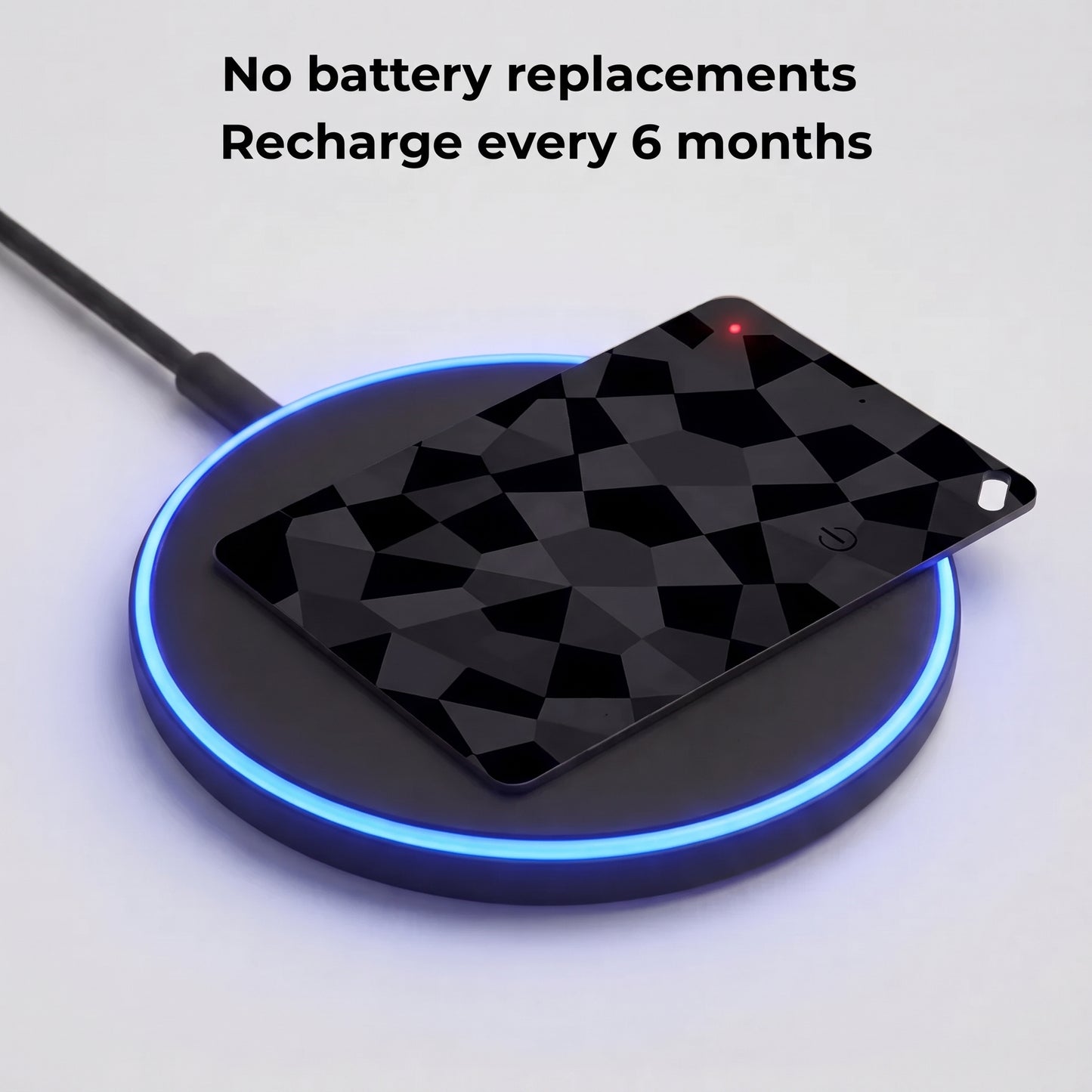
Recharge wirelessly - one charge lasts up to 6 months
Couldn't load pickup availability

Selvela Card Tracker
Features
Features
Google Find Hub Integration
Locate your wallet using the Find Hub app or Google Assistant. Play a sound or see its last known location on a map via Google's global network.
Loud Speaker
Hear it from up to 90m away—perfect for locating it under cushions or in another room.
Ultra-Slim Design
Just 1.8mm thin—fits seamlessly into any wallet or card slot.
IP68 Water & Dust Resistance
Fully protected against splashes, rain, and brief submersion.
Up to 6 Months Battery Life
Wireless charging supported—stay powered without hassle.
Compatibility
SYSTEM REQUIREMENTS
- OS: Android 9.0 (Pie) or later.
- Service Framework: Must have Google Play Services installed (Standard on Samsung, Pixel, Motorola, etc.).
- Network: Uses Google's Find Hub network.
HARDWARE SPECS
- Battery: Rechargeable (Lasts up to 6 months).
- Charging: Wireless.
- Connectivity: Bluetooth required for initial 2-minute setup. Afterward, it tracks passively via the network.
INCOMPATIBLE DEVICES
- Android devices lacking Google Play Services or below Android 9.0
Shipping Information
Your order ships within 1-3 business day with full tracking. Delivery to the US typically takes 5-9 days.
Returns & Refunds
We offer a 30-day return policy. If it’s not for you, send it back for a full refund. To begin this process send an email to info@luxfordtech.com
How Does It Work?
Step-by-Step Setup
1. Charge Your Finder Card
Place your Android Find Hub Card on any Qi-compatible wireless charger.
When the LED turns green, it’s fully charged, good for up to 6 months of use under normal conditions.
💡 Tip: A quick top-up every few months keeps it powered indefinitely.
2. Open the Google Find My Device App
On your Android phone, open the Find Hub app.
If you don’t see it, download it free from the Google Play Store.
Make sure you’re signed in with your Google Account, and that Bluetooth + Location are turned on.
3. Put Your Finder Card Into Pairing Mode
Remove it from the packaging, then press and hold the button until you hear a short beep.
4. Connect in Seconds
Your phone will show a pop-up notification.
Tap Connect (or Pair) to link it instantly.
Once connected, it will appear inside your Find Hub app under “Items.”
5. You’re All Set
Your Find Hub Card is now securely linked to your Google Account and ready to help you locate nearly anything, anywhere Google’s global Find My Device network reaches.
Sign Up and Save
Get exclusive deals sent directly to your email. No spam, just value.
Email* You can unsubscribe at any time.
Compatibility:
Luxford Finder Cards are available for:
Android Version: Works exclusively with Google’s Find Hub network. Requires an Android device running Android 9+ with Google Play Services enabled.
See Android for full network coverage and details.
Menu
Follow on
Country/region
USD $ | United StatesPayment methods
© 2026, Luxford Tech
🎉 Free Shipping unlocked! It will be included automatically at checkout.
Free Shipping
Protected by our 30-Day Money-Back GuaranteeCheckout • $55.00
Compatibility
Compatibility
SYSTEM REQUIREMENTS
- OS: Android 9.0 (Pie) or later.
- Service Framework: Must have Google Play Services installed (Standard on Samsung, Pixel, Motorola, etc.).
- Network: Uses Google's Find Hub network.
HARDWARE SPECS
- Battery: Rechargeable (Lasts up to 6 months).
- Charging: Wireless.
- Connectivity: Bluetooth required for initial 2-minute setup. Afterward, it tracks passively via the network.
INCOMPATIBLE DEVICES
- Android devices lacking Google Play Services or below Android 9.0
Shipping
Shipping
Order processing time can take anywhere between 1-5 business days depending on demand. Orders should arrive between 1-2 weeks.
Returns and Refunds
Returns and Refunds
Not right for you? No worries. Contact us at selvela@proton.me and we'll guide you through the process.


How Does It Work?
Step-by-Step Setup
1. Charge Your Finder Card
Place your Android Find Hub Card on any Qi-compatible wireless charger.
When the LED turns green, it’s fully charged, good for up to 6 months of use under normal conditions.
💡 Tip: A quick top-up every few months keeps it powered indefinitely.
2. Open the Google Find My Device App
On your Android phone, open the Find Hub app.
If you don’t see it, download it free from the Google Play Store.
Make sure you’re signed in with your Google Account, and that Bluetooth + Location are turned on.
3. Put Your Finder Card Into Pairing Mode
Remove it from the packaging, then press and hold the button until you hear a short beep.
4. Connect in Seconds
Your phone will show a pop-up notification.
Tap Connect (or Pair) to link it instantly.
Once connected, it will appear inside your Find Hub app under “Items.”
5. You’re All Set
Your Find Hub Card is now securely linked to your Google Account and ready to help you locate nearly anything, anywhere Google’s global Find My Device network reaches.
Testimonials
-

I am surprised by how well these work. They are super thin and slide right into my wallet without making it bulky or awkward. Setting them up was easy and the connection to my phone has been solid so far. I have tested the accuracy and it tracks my wallet exactly where it needs to be when I leave it behind.
The NFC charging is a nice touch and it is helpful that there is an indicator light so you know for sure when they are on and actually charging. They seem durable enough for daily carry in my back pocket. Good find for the price!
-

My favorite feature is how incredibly thin it is while still being rechargeable. I’ve had other off-brand trackers where the battery couldn’t be replaced or recharged, which was frustrating. Being able to simply put this one on a wireless charger is so much more convenient, especially since I already have a couple of wireless chargers around the house.
-

I’ve used several Bluetooth trackers over the years, and these are among the nicest wallet-style versions I’ve tried. The setup was quick, they connected without any issues, and the rechargeable design immediately stood out as a practical improvement over disposable battery trackers.


